For K-12 schools
Run your school office, classrooms and parent communication from one platform
From the admission desk to the report card, CampusConnect connects your office, teachers and parents — with a web app for staff and mobile apps for families.
From → to
The problems we hear most — and what changes
Today
Fee records live in registers and spreadsheets, and dues are chased by phone.
With CampusConnect
Fee structures, online payment in the parent app, instant receipts and automatic due reminders.
Today
Attendance is taken on paper and typed in later — parents hear about absences late.
With CampusConnect
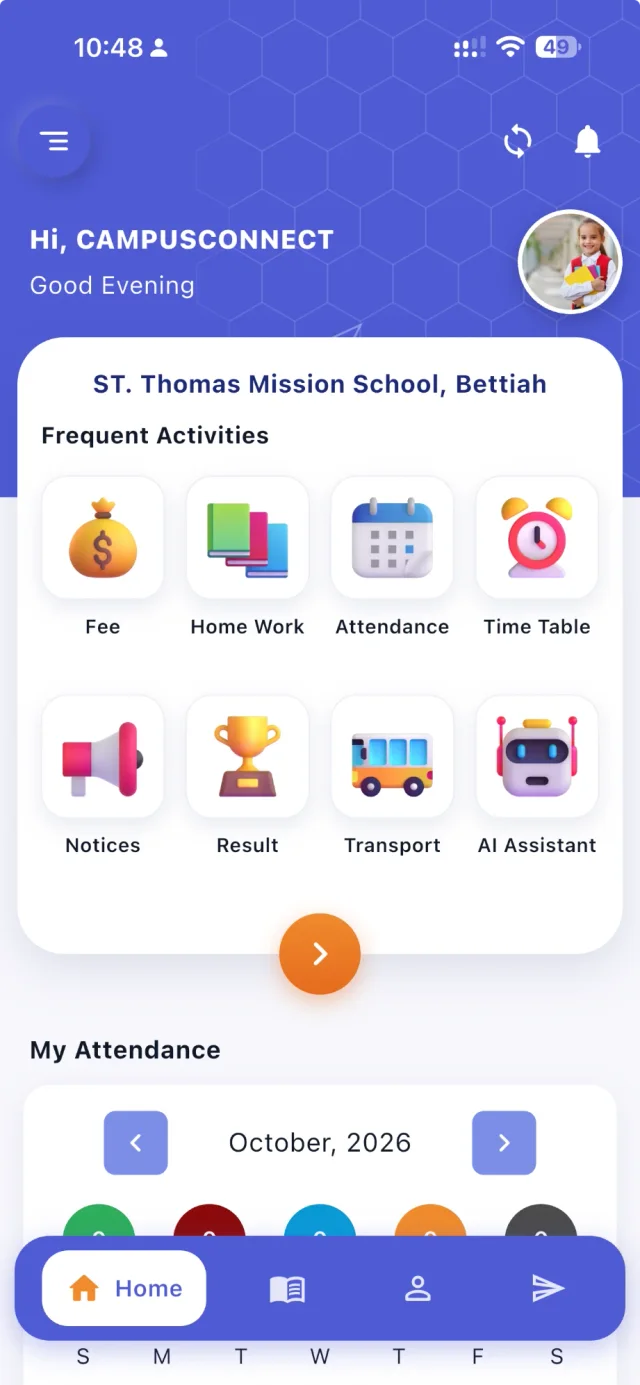
Attendance marked in seconds on web or phone; parents with the app are notified when it is saved.
Today
Timetables take days to build and break when one teacher's availability changes.
With CampusConnect
An automatic generator that respects teacher availability, subject limits and breaks.
Today
Notices are scattered across a dozen WhatsApp groups.
With CampusConnect
Notices, circulars, push notifications, SMS and class messaging inside the school's own app.
See it
CampusConnect for K-12 schools, screen by screen
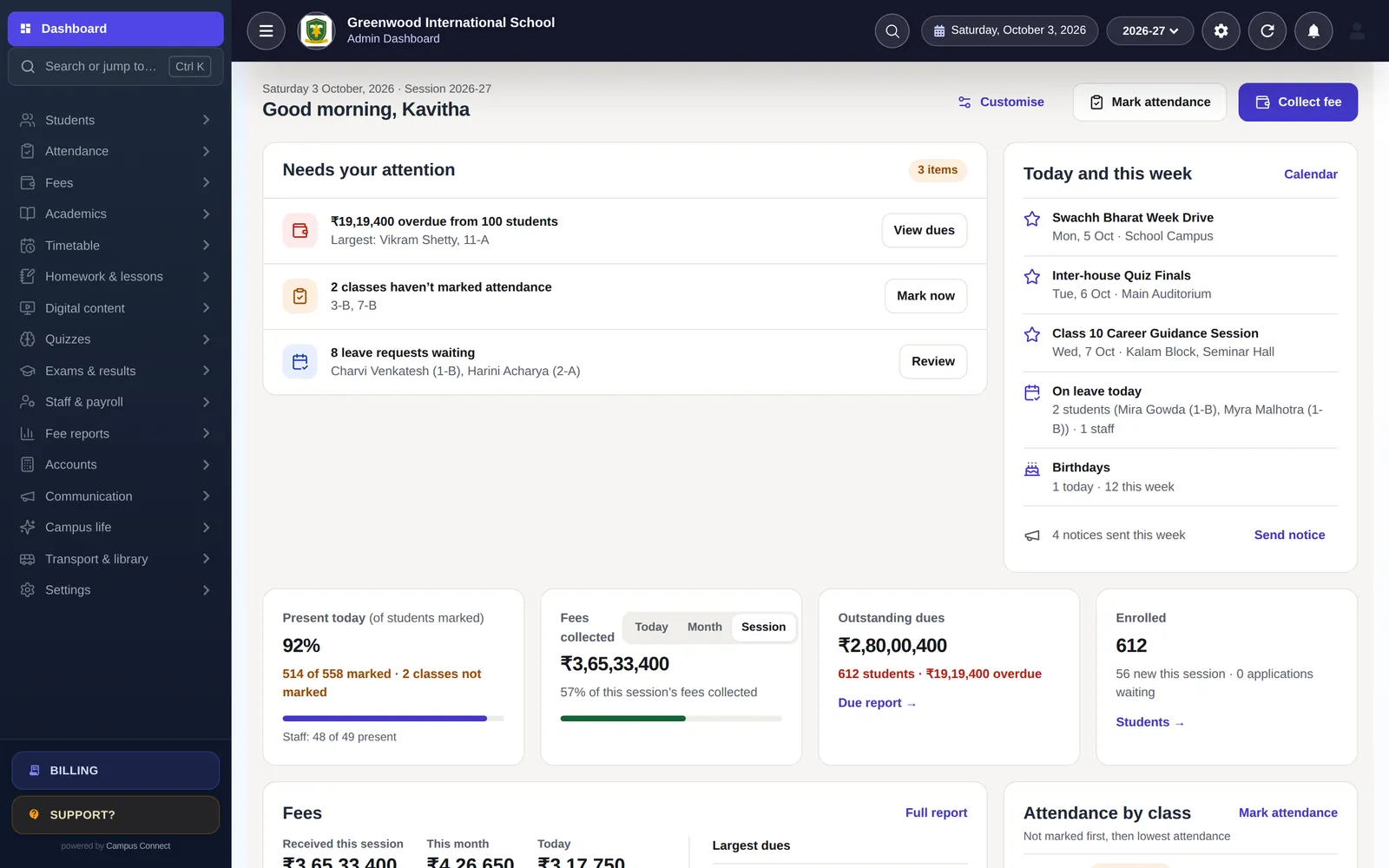
The school office, on one dashboard
Attendance, fees collected, outstanding dues and admissions at a glance, with the things that need attention first.
- Needs-your-attention list
- Search or jump with Ctrl K
- Live numbers by class
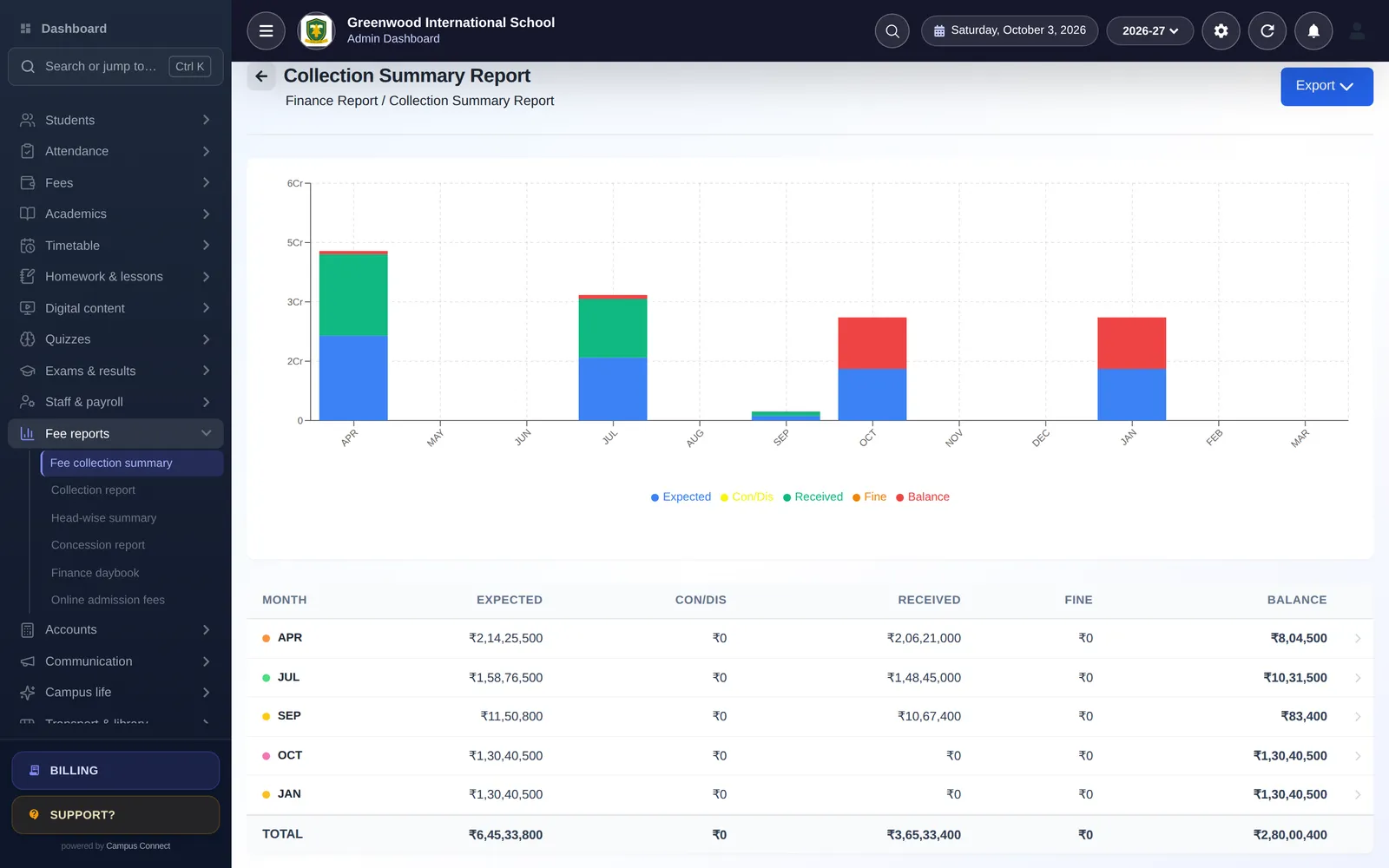
Fees that reconcile themselves
Collect at the counter or online; every receipt flows into collection, head-wise and due reports — and into your accounts.
- Installments, fines, concessions
- Online payment in the parent app
- Daybook and P&L from the same data
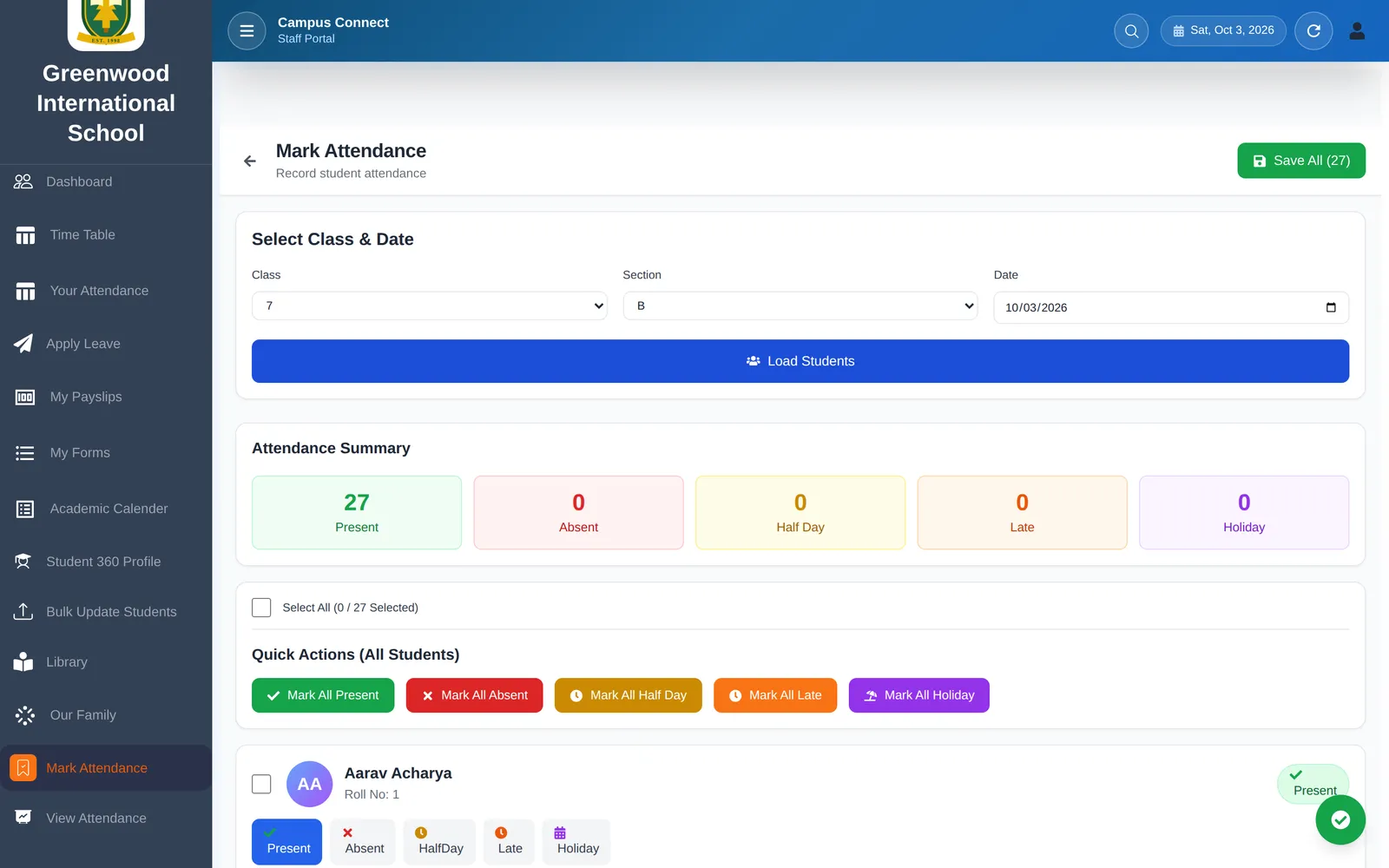
Less admin for teachers
Attendance, homework, marks and lesson plans from the web or the staff app.
- Card-based attendance
- Homework with online submission
- Marks entry and results
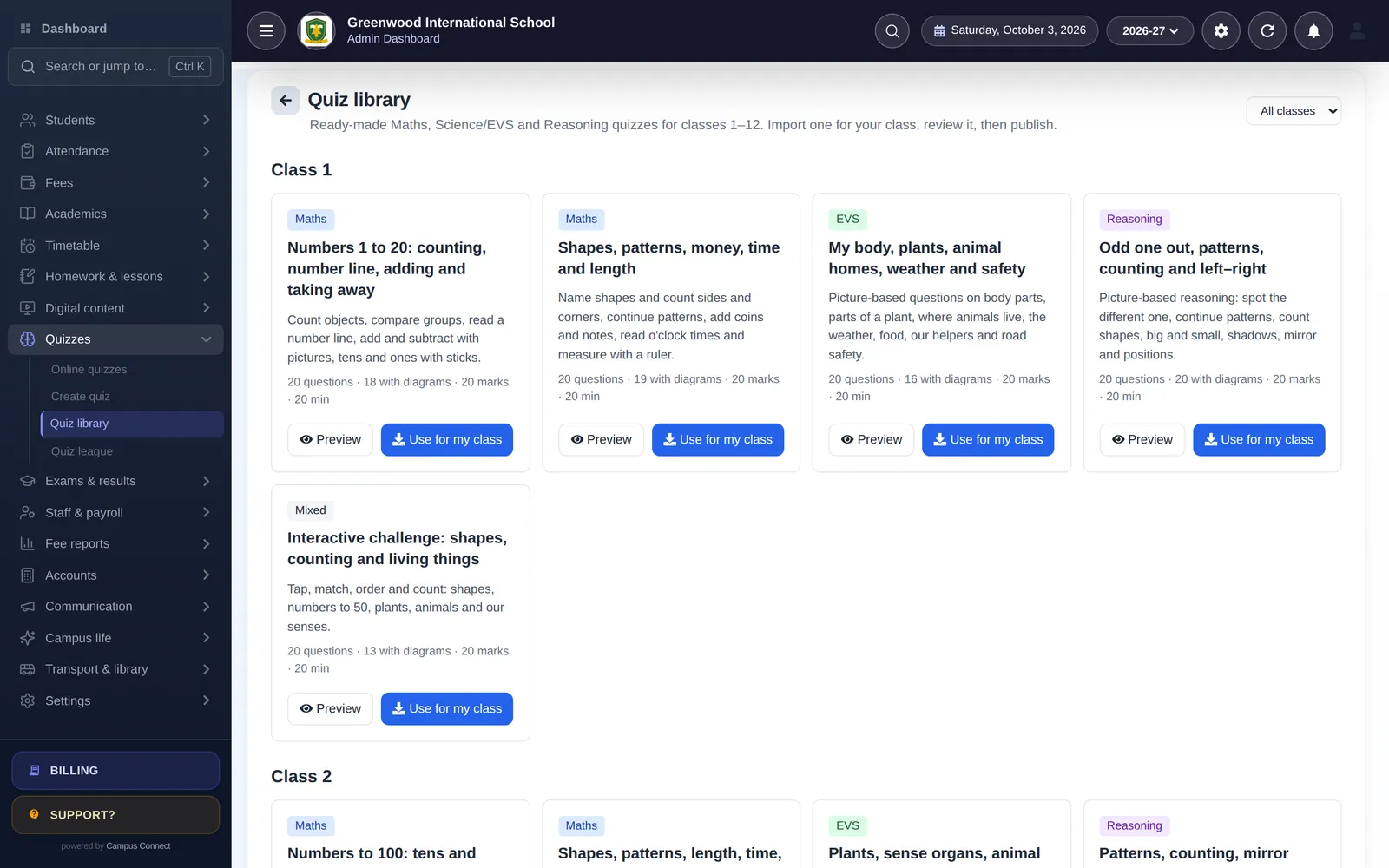
Practice students look forward to
60 ready-made, diagram-based quiz sets for classes 1–12 with XP, badges and a fair House Cup.
- Maths, Science/EVS, Reasoning
- Interactive question types
- League and House Cup
Modules
The modules that matter most here
- Admissions & Student 360Online admission forms, bulk import and a complete profile for every student.
- Attendance (incl. biometric)Mark a class in seconds, connect biometric/RFID devices and notify parents.
- Fees & online paymentsFee structures, discounts, dues and online payment through the Easebuzz gateway.
- AccountingChart of accounts, journals, trial balance, P&L and balance sheet.
- Exams & report cardsExam heads, mark entry, results and printable report cards.
- Timetable & automatic generatorBuild periods and let the generator create a clash-free timetable.
- Homework & lesson plansAssign, collect and evaluate homework; track lesson plan progress.
- Online quizzes60 ready-made, diagram-based quiz sets for classes 1–12 and interactive question types.
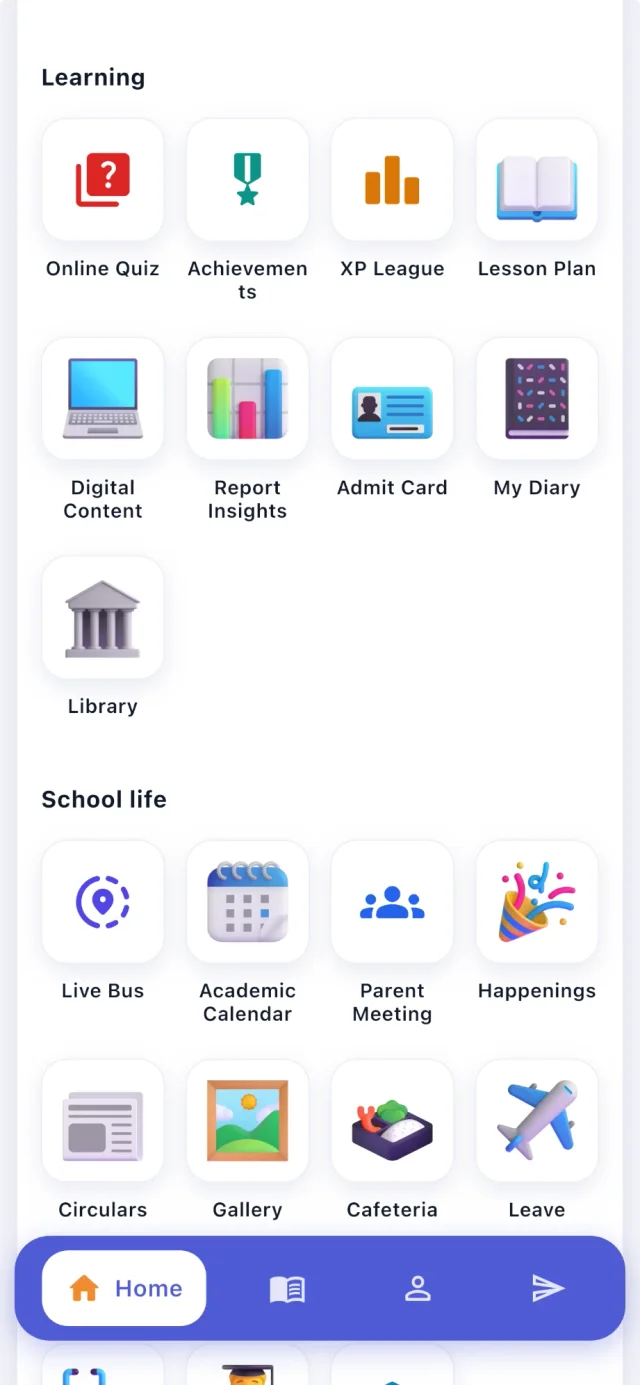
- GamificationXP, levels, badges, streaks, class league and the House Cup.
- Parent–teacher meetingsTeachers publish slots, parents book from the app.
- Notices, SMS & pushNotice board, circulars, bulk SMS, email and push notifications.
- Live bus trackingDriver app shares GPS; parents see the bus live; admins see every bus.
By role
What changes for each person
Principal
- Today's attendance and fee position on one screen
- Lesson-plan status and results at a glance
- Audit log of important actions
Accountant
- Collection, concession and due reports
- Automatic ledger entries from fees
- Trial balance, P&L and balance sheet
Teacher
- Attendance in seconds
- Homework, diary and marks from the phone
- Ready-made quizzes with automatic marking
Parent
- Pay fees online and keep receipts
- Attendance, homework and results
- Book parent–teacher meetings; see the bus live
Implementation
How you go live
A typical plan for one institution starting with the core modules.
Week 0
Kick-off
Demo, scope and a go-live date. We agree which modules you start with and who does what.
Days 1–3
School setup
School code, logo, session, classes, subjects, staff roles and fee structures — configured with you.
Days 3–7
Data migration
Students, staff, fee masters, fee records and pending dues imported from Excel and checked together.
Days 7–10
Training
Short, role-wise sessions for the office, accountants and teachers — on the web app and the staff app.
Days 10–14
Go live
Parents download the app, online payments are switched on, and we stay close through the first fee cycle.
Security & trust
Built to protect children's and families' data
Schools trust us with sensitive records. Here is how the platform protects them — described plainly, and only what we can show in our code.
Visit the trust centreRole-based access
Admins, staff, students, parents and drivers each see only what their role allows.
Each school's data kept separate
Requests are scoped to the caller's school — covered by automated tests.
Encrypted in transit
HTTPS everywhere; passwords stored only as bcrypt hashes.
Login protection
OTP sign-in and limits on failed login and OTP attempts.
Audit log
Important actions recorded with who, when and from where.
Privacy by design
No ads, no data selling. Designed with India's DPDP Act in mind.

Does CampusConnect work for CBSE and state-board schools?
Yes. Exams, grades, co-scholastic areas, report cards and result tables are configurable, so you can follow your board's pattern. The ready-made quiz library follows the classes 1–12 syllabus in Maths, Science/EVS and Reasoning.
Can we start with only fees and attendance?
Yes. Many schools start with students, attendance and fees and switch on more modules later — it's all one login and one set of data.
Do parents need to pay for the app?
No. The CampusConnect app is free to download for students and parents of schools that use CampusConnect.
How do we move our existing records?
Students, fee masters, fee records and pending dues can be imported from Excel, and our team helps with the import during onboarding.
Other solutions
Get started
See CampusConnect with your school's own workflow
Tell us how your office runs today and we'll show you the modules that matter — with a clear plan to go live.
- Personalised demo, at a time that suits you
- Help importing your data from Excel
- Training for admins, accountants and teachers
- +91 95382 22239WhatsApp support