For school groups & trusts
Every branch on one platform — each with its own data and identity
Standardise fees, attendance, exams and parent communication across your schools, while every branch keeps its own records, logo and login page.
From → to
The problems we hear most — and what changes
Today
Each branch runs different software — or a different spreadsheet — so nothing compares.
With CampusConnect
One platform and one way of working across branches, with each school's data kept separate.
Today
Group management waits days for each branch to send fee and attendance numbers.
With CampusConnect
Branch dashboards and reports from live data, in the same format for every school.
Today
Parents of different branches get different apps and different experiences.
With CampusConnect
The same CampusConnect app for every family, showing each school's own name and logo.
Today
Adding a branch means another vendor, another contract and another training.
With CampusConnect
New schools are created on the same platform, with the same configuration and training.
See it
CampusConnect for School groups & trusts, screen by screen
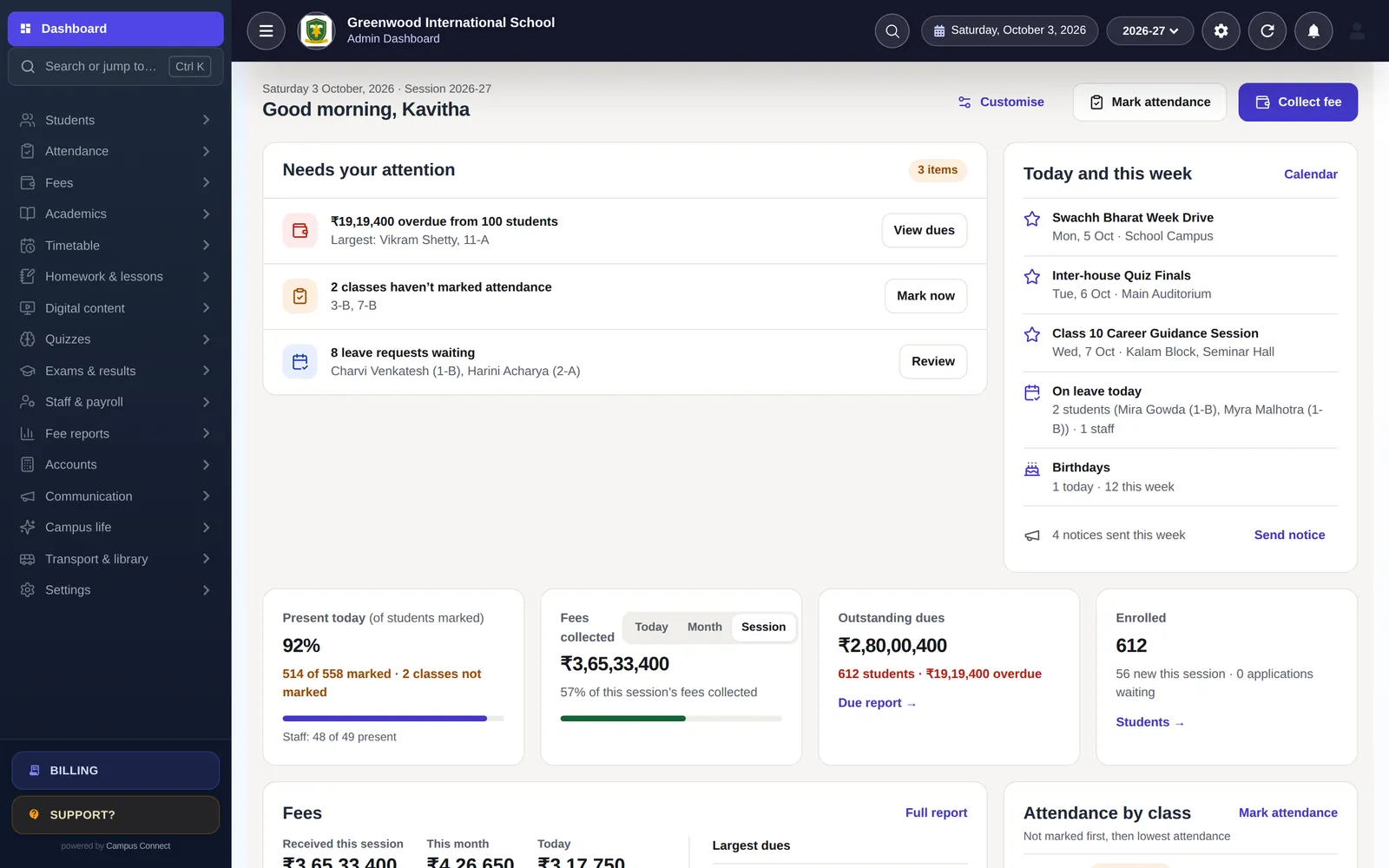
Each branch's day at a glance
Every school gets the same dashboard — attendance, fees, dues and admissions — from its own data.
- Same layout in every branch
- Live, not month-end
- Role-based access per branch
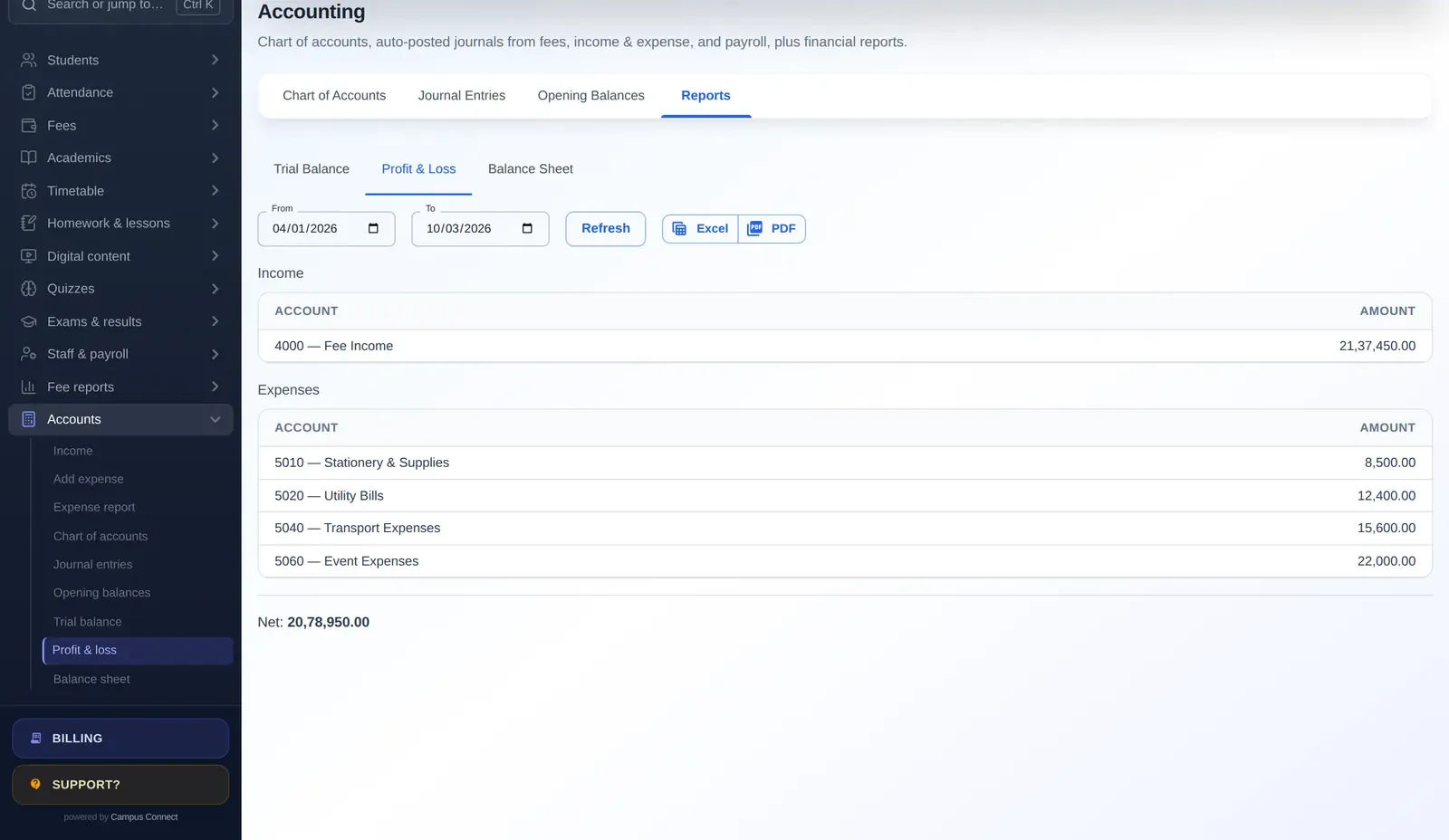
Comparable finance across schools
The same fee reports and double-entry statements in every branch make group reviews straightforward.
- Collection and due reports
- P&L and balance sheet per school
- Payroll and payslips
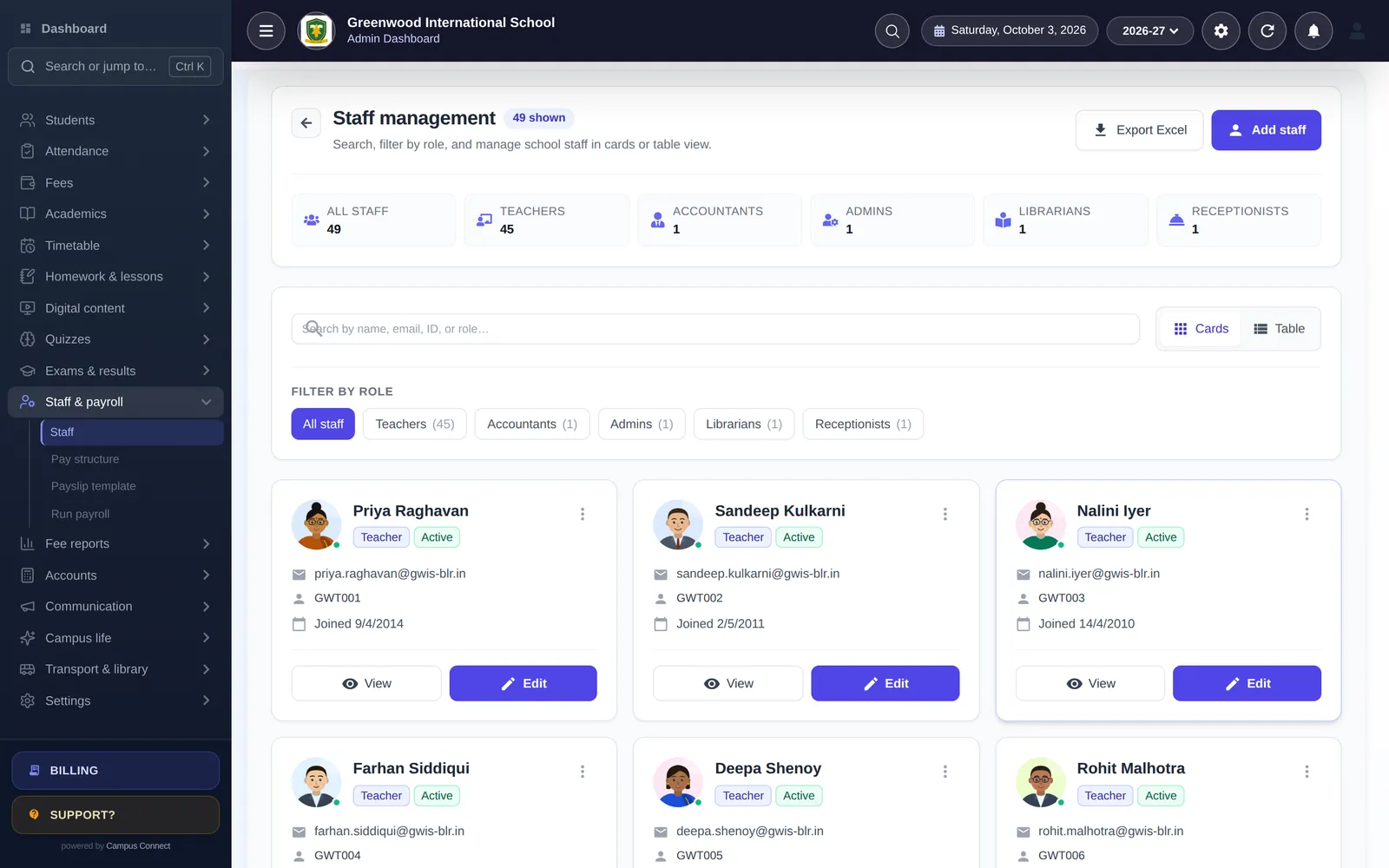
Students and staff, consistently managed
Admissions, promotions, certificates and staff records follow one process across the group.
- Bulk admit and update
- Promotions and SmartDistribute
- Staff roles and payroll
Modules
The modules that matter most here
- Multi-school & resellersRun a group of schools or resell CampusConnect under one platform.
- Fees & online paymentsFee structures, discounts, dues and online payment through the Easebuzz gateway.
- AccountingChart of accounts, journals, trial balance, P&L and balance sheet.
- Staff & payrollPay structures, payroll runs, payslips and leave — for teaching and non-teaching staff.
- Attendance (incl. biometric)Mark a class in seconds, connect biometric/RFID devices and notify parents.
- Exams & report cardsExam heads, mark entry, results and printable report cards.
- Notices, SMS & pushNotice board, circulars, bulk SMS, email and push notifications.
- Security & controlRole-based access, audit log, OTP login and login-attempt limits.
By role
What changes for each person
Trustee / director
- Consistent reports from every branch
- Each school's data kept separate
- One vendor for the whole group
Group finance
- Same fee and finance reports per school
- Billing and invoices per school
- Ledger, P&L and balance sheet
Branch principal
- Own dashboard and login page
- Own logo and optional custom domain
- Full module set for the branch
Parents
- One familiar app across branches
- School-specific notices and fees
- Siblings in different branches handled by the school
Implementation
How you go live
A typical plan for one institution starting with the core modules.
Week 0
Kick-off
Demo, scope and a go-live date. We agree which modules you start with and who does what.
Days 1–3
School setup
School code, logo, session, classes, subjects, staff roles and fee structures — configured with you.
Days 3–7
Data migration
Students, staff, fee masters, fee records and pending dues imported from Excel and checked together.
Days 7–10
Training
Short, role-wise sessions for the office, accountants and teachers — on the web app and the staff app.
Days 10–14
Go live
Parents download the app, online payments are switched on, and we stay close through the first fee cycle.
Security & trust
Built to protect children's and families' data
Schools trust us with sensitive records. Here is how the platform protects them — described plainly, and only what we can show in our code.
Visit the trust centreRole-based access
Admins, staff, students, parents and drivers each see only what their role allows.
Each school's data kept separate
Requests are scoped to the caller's school — covered by automated tests.
Encrypted in transit
HTTPS everywhere; passwords stored only as bcrypt hashes.
Login protection
OTP sign-in and limits on failed login and OTP attempts.
Audit log
Important actions recorded with who, when and from where.
Privacy by design
No ads, no data selling. Designed with India's DPDP Act in mind.

Is each branch's data kept separate?
Yes. Every school is its own tenant on the platform; requests are scoped to the caller's school and this is covered by automated tests.
Can each branch have its own branding?
Yes. Each school gets its own login page and logo, and can use an optional custom domain.
Can the group manage all branches?
Yes. Platform-level accounts for school groups can create and manage the schools they own, within configurable limits on the number of schools and students. Talk to us about how you want to structure access.
How are branches billed?
Billing and invoices are per school, so each branch's cost is clear. We'll share a group quote after a short call.
Other solutions
Get started
Plan a group rollout with us
We'll map your branches, agree a standard configuration and plan a phased go-live.
- Personalised demo, at a time that suits you
- Help importing your data from Excel
- Training for admins, accountants and teachers
- +91 95382 22239WhatsApp support