
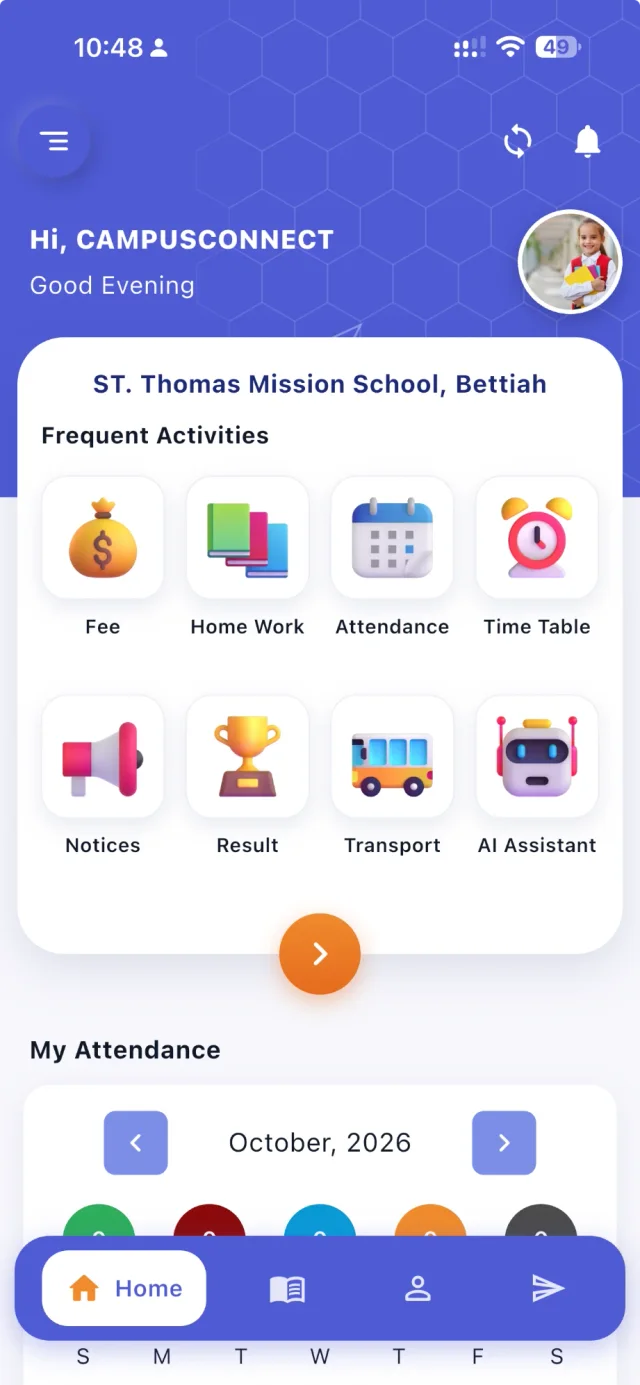
Many schools launch a parent app with high hopes, only to find that a few months later half the parents still call the office and the class WhatsApp groups are as busy as ever. The app itself is rarely the problem. Adoption depends on how the school launches it, what’s in it, and whether the old ways quietly continue.
Here’s what tends to work.
Launch with something parents need daily
Parents open an app when it answers a question they have today. The most powerful launch features are:
- Attendance — “Is my child in school?” answered every morning.
- Homework — “What’s the homework?” answered every evening.
- Fees — “What do I owe?” answered, and paid, in a few taps.
If these are in the app from day one, parents have a reason to open it daily. Notices and events alone rarely create the habit.
Make sign-in effortless
The first sign-in is where many parents give up. Make it simple:
- Share clear instructions: which app to download, your school code, and how to sign in.
- Let parents sign in with the mobile number registered with the school and a one-time code, where possible, so there are no passwords to forget.
- Make sure the school’s records have correct mobile numbers before launch.
- Have the front office ready to help on the phone during launch week.
Launch in a planned way
- Internal first. Teachers use the system for attendance and homework for a week or two, so the data is there when parents arrive.
- Announce. A short notice, a printed slip and a mention at the next parent meeting.
- Help desk. A table at dispersal time for a few days, where staff help parents install and sign in.
- Follow up. After two weeks, look at which families haven’t signed in and give them a call.
Keep the app useful
Parents keep using an app that keeps being useful:
- Post homework every day, at a predictable time.
- Mark attendance on time, so notifications arrive in the morning, not the afternoon.
- Publish results, timetables and calendars in the app first.
- Use the gallery and happenings feed to share school life — parents enjoy it.
Retire the old channels — gently
If everything still arrives in WhatsApp groups and on paper, parents have no reason to switch. Once the app is established:
- Post a short “this is now in the app” message in old groups for a few weeks, linking to where to find it.
- Stop posting homework and notices in groups.
- Close the groups on an announced date.
Keep SMS for urgent alerts and for families without smartphones.
Support less tech-confident families
Not every parent is comfortable with apps. Help them:
- Keep the app simple, with big, clear icons.
- Offer help in person and on the phone.
- Allow another family member to help.
- Keep essential information available by SMS or on paper for those who need it.
Measure adoption
Track how many families have signed in, how many use the app weekly, and how many fees are paid online. Look at the numbers by class — a class with low adoption may have a class teacher who needs support, or families who need extra help.
A sample launch message
A short, friendly message works better than a long circular. For example: “Dear parents, from Monday you can see your child’s attendance, homework, fees and school notices in the CampusConnect app. Download it from Google Play or the App Store, enter our school code and sign in with your registered mobile number. If you need help, our front office will be at the gate during dispersal all week.” Follow it with a reminder on the first morning attendance appears in the app — that’s the moment most parents realise how useful it is.
More questions
What if a family has two children in the school? Make sure both children are linked to the same mobile number in your records, so the family can see both in one app.
How quickly should we expect adoption? When attendance, homework and fees are in the app from day one and the old channels stop, most families start using it within the first few weeks. Track sign-ins by class and follow up where they lag.
Should we still send paper circulars? For a transition period, and for families without smartphones, yes. Over time, keep paper for documents that must be signed or kept.
Key takeaways
- Launch with attendance, homework and fees — things parents check daily.
- Make sure mobile numbers are correct before launch.
- Offer in-person help during launch week.
- Follow up with families who haven’t signed in after two weeks.
- Retire class groups gradually once the app is established.
- Keep SMS for urgent alerts and families without smartphones.
How CampusConnect helps
The CampusConnect app on Android and iOS puts fees, homework, attendance, timetable, notices, results, transport and an AI assistant on the home screen, with learning (online quizzes, achievements, XP league, lesson plans, digital content, report insights, admit card, diary, library) and school life (live bus, academic calendar, parent meetings, happenings, circulars, gallery, cafeteria, leave) a tap away. Parents with the app are notified when attendance is saved, can pay fees online and keep receipts, and the school can send push notifications and bulk SMS.
Book a free demo to plan your parent app launch.