
Parents want to know what’s happening with their child. Schools want parents to read what they send. Somewhere between the two sit dozens of WhatsApp groups, paper circulars that never leave school bags, and phone calls to an overloaded front office.
A deliberate communication strategy fixes much of this. It doesn’t need to be complicated — it needs to be consistent.
Start with what parents actually need
Most parent questions fall into a few categories:
- Daily: Is my child in school today? What’s the homework? Is the bus on time?
- Regular: What fees are due? When are exams? What’s the timetable?
- Occasional: Results, parent–teacher meetings, events, holidays.
- Urgent: Weather closures, safety issues, schedule changes today.
If parents can answer the daily and regular questions themselves — in an app, without calling anyone — the school’s channels are free for what matters.
Match each message to a channel
Different messages need different channels:
| Message | Best channel |
|---|---|
| Attendance, homework, fees due, results | In-app, available any time |
| Notices and circulars | Notice board in the app plus a push notification |
| Urgent, same-day changes | Push notification and SMS |
| Individual concerns | A call or a meeting |
| Celebrations and school life | Gallery and happenings feed |
The point is to stop using one channel — usually a WhatsApp group — for everything. When every message goes to the same place, the important ones get lost.
Create a rhythm parents can rely on
Predictability builds trust. For example:
- Homework posted by a fixed time each day.
- A weekly note from the class teacher on Fridays.
- Fee reminders a few days before each due date.
- Monthly calendar of events at the start of each month.
When parents know when to look, they stop asking.
Write fewer, better notices
Many schools send too many messages, and parents stop reading. Before sending, ask:
- Does every recipient need this? Send class-specific notices only to that class.
- Can it be combined with another message?
- Is the action clear? Say what parents need to do, by when.
- Is it short? The first two lines should carry the message.
A useful rule: if a notice needs a reply or action, say so in the first sentence.
Make it two-way, with boundaries
Parents need a way to reach the school, and teachers need boundaries. Options that work:
- Messaging inside the school’s own platform, where the school controls who can message whom and conversations are kept on school systems rather than personal phones.
- Parent–teacher meeting slots that parents book themselves, rather than phone tag.
- Leave applications sent from the app, so the class teacher sees them in one place.
- Clear expectations about response times and when teachers are reachable.
Don’t forget families with less access
Not every family has a smartphone or reads English comfortably. Keep SMS as a backup for important messages, use simple language, and make sure the front office can share the same information on a call. Consider whether key notices should also be available in the local language.
Measure and improve
Look at which notices get acted on and which don’t. If fee payment improves after reminders, keep them. If an event notice gets questions afterwards, the original wasn’t clear. Ask a few parents each term what they find useful and what they ignore.
Privacy matters
Parent communication involves personal data — phone numbers, children’s names and photos. Large WhatsApp groups expose every parent’s number to every other member and are hard to manage when families leave. Moving communication into a school-controlled app reduces that exposure and makes it easier to remove access when a student leaves.
A sample weekly communication calendar
Here’s what a predictable week might look like for a class:
- Every school day, by 9:30 am: attendance saved; parents with the app are notified.
- Every school day, by 4 pm: homework posted in the app.
- Monday: any notices for the week, as one combined message.
- Friday: a short note from the class teacher — what was covered, what’s coming next, any reminders.
- Three days before a fee due date: fee reminder.
- First school day of the month: calendar of events and holidays.
Urgent messages (a closure, a change to the bus schedule) go out immediately by push notification and SMS. Everything else follows the rhythm. Parents learn the pattern within a few weeks.
More questions
How many messages a week is too many? There’s no fixed number, but if parents start muting your channel, it’s too many. Combine non-urgent notices into a weekly message and keep urgent channels for urgent news.
Key takeaways
- Let parents answer daily questions themselves in an app.
- Match each message to the right channel.
- Keep a predictable weekly rhythm.
- Send fewer, clearer notices.
How CampusConnect helps
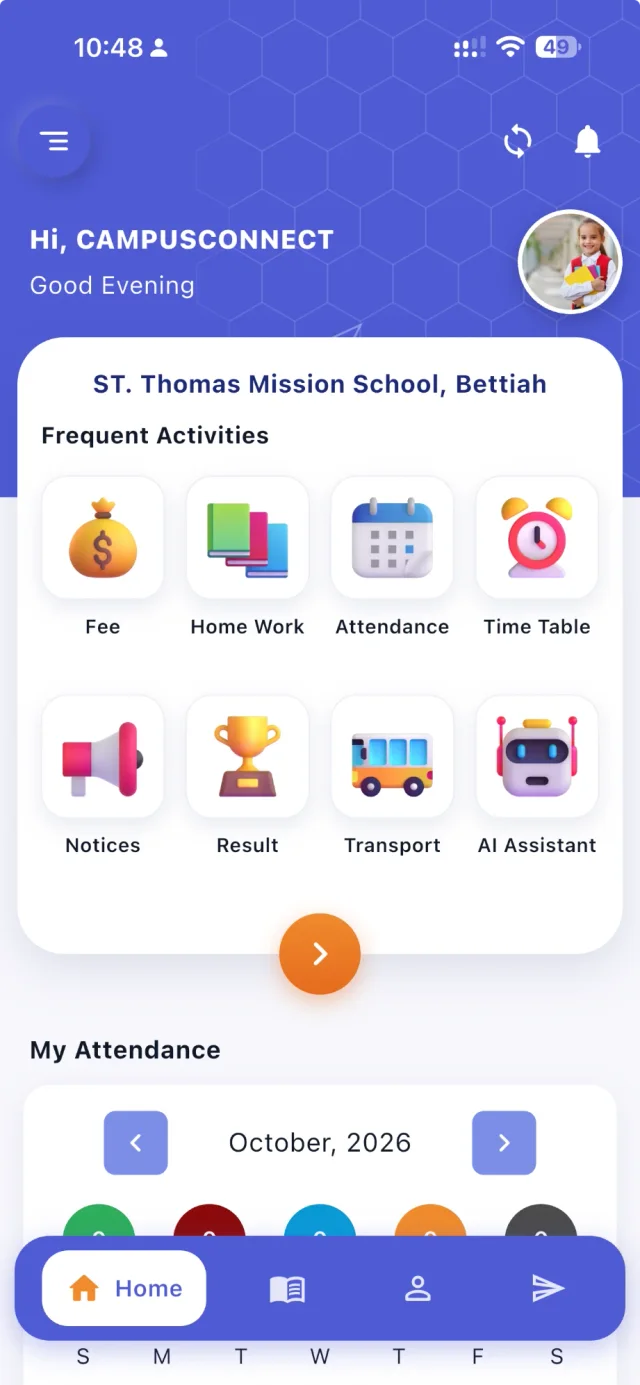
In CampusConnect, parents see attendance, homework, fees and receipts, results, timetable and notices in one app. The school sends notices and circulars, push notifications to the app and bulk SMS to classes, sections or individuals. Class chat rooms and messages stay inside the school’s platform, with the school deciding who can message whom. Parents book parent–teacher meetings from published slots and apply for leave from the app, and the gallery and happenings feed show school life.
Want to simplify how your school talks to parents? Book a free demo.