
Attendance is the most frequently recorded piece of school data — every class, every day. It affects exam eligibility, safety, parent communication and the school’s reporting. Yet many schools still record it on paper and type it into a spreadsheet later, if at all.
This article compares the main ways schools take attendance and offers practical advice on choosing and running a system.
Why attendance deserves attention
- Safety. When a child doesn’t arrive at school, parents should know quickly.
- Learning. Patterns of absence are often the earliest sign that a student is struggling.
- Rules. Board and school rules often link exam eligibility to attendance percentages.
- Reporting. Accurate attendance feeds reports to management and authorities.
Method 1: paper registers
The class register is familiar and needs no technology. But it has clear limits:
- The data is locked in a book. Calculating monthly percentages means manual counting.
- Parents learn about absences only if someone calls them.
- Registers can be lost or damaged, and corrections are hard to trace.
Paper works as a fallback but rarely as the main system in a school that wants timely information.
Method 2: attendance in an app or web system
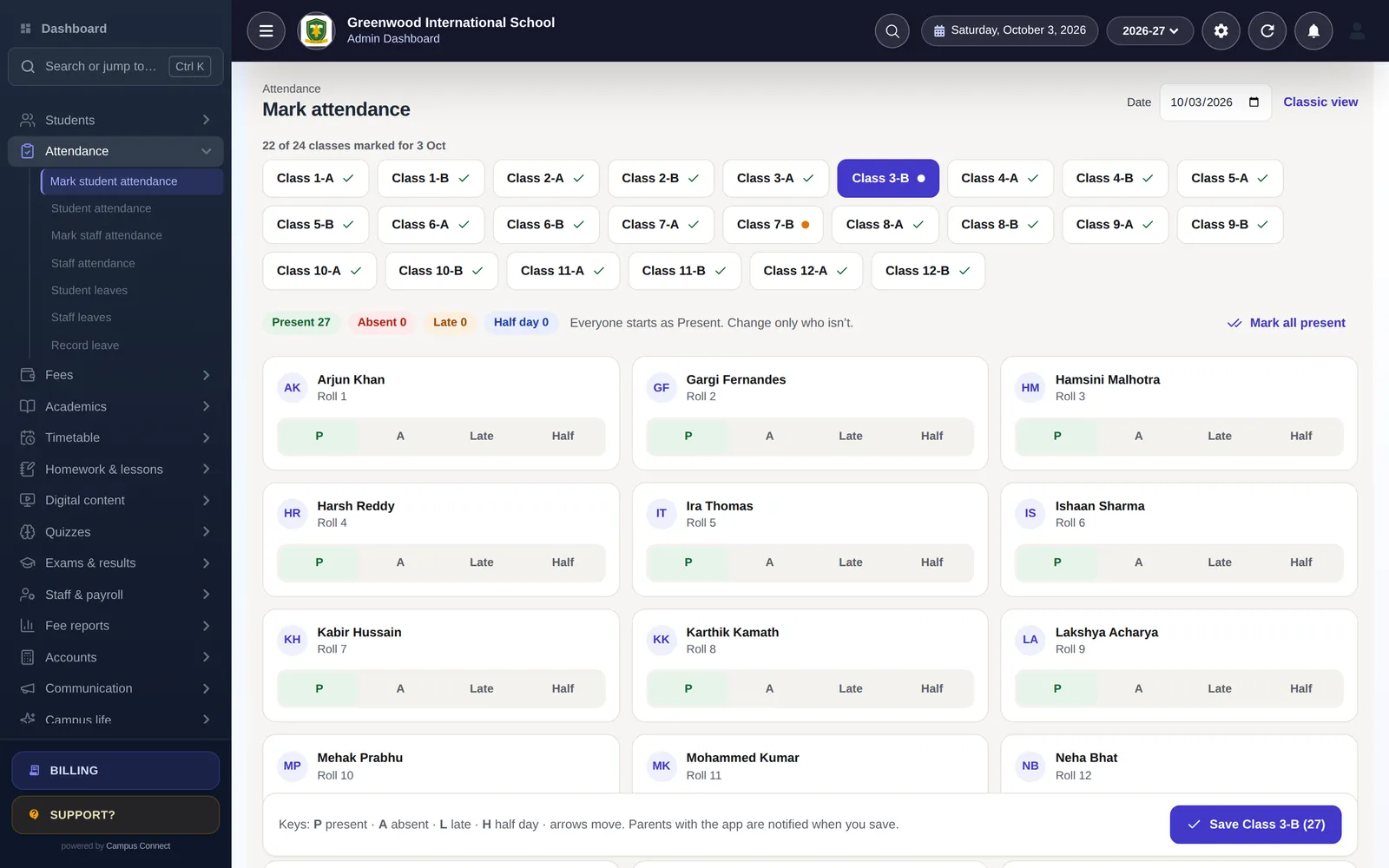
Here the teacher marks attendance on a phone, tablet or computer. Good systems make this fast: the class list loads, the teacher marks everyone present and changes only the exceptions, then saves.
Advantages:
- Instant reports by class, student and month.
- Parent notification when attendance is saved, so families know the same morning.
- Fewer errors, because there’s no re-typing.
- Locking, so finalised attendance can’t be casually changed.
The main requirement is that teachers have a device and a few minutes at the start of the day. A well-designed screen with keyboard shortcuts on the web, or big buttons on the phone, makes marking a class take very little time.
Method 3: biometric and RFID devices
Fingerprint devices or RFID cards at the gate record arrival automatically.
Advantages:
- No teacher time for basic presence.
- Accurate arrival times, useful for late-arrival policies.
- Staff attendance works the same way.
Things to consider:
- Devices cost money and need maintenance; queues can form at the gate at peak times.
- Gate attendance tells you a child entered the campus, not that they attended each class.
- Biometric data is sensitive personal data; think carefully about consent, security and whether a card-based option is sufficient, especially for young children.
Choosing the right mix
Most schools end up with a combination:
- Staff attendance via biometric device or app.
- Student daily attendance marked by class teachers in the app, or captured by RFID/biometric devices at the gate where the school has invested in them.
- Period-wise attendance only where it’s really needed (for example, in senior classes or colleges).
Whatever the method, make sure the data flows into one system, so reports and parent notifications work from one source of truth.
Making attendance work day to day
- Set a time. “Attendance is marked by 9:15 am” gives everyone a clear expectation.
- Track who hasn’t marked. A dashboard showing classes not yet marked helps the office follow up.
- Use clear statuses. Present, absent, late and half-day cover most needs.
- Handle leave properly. When parents apply for leave in advance, the absence should be recorded as leave, not as an unexplained absence.
- Lock at the end of the day. Finalised attendance should not change without a trail.
- Review weekly. Look for students with repeated absences and contact families early.
Communicating with parents
The single biggest benefit of digital attendance for families is knowing, the same day, whether their child is in school. A short notification when attendance is saved reassures parents and surfaces problems quickly. Combine it with an easy way for parents to apply for leave from the app, and you reduce phone calls to the office.
Questions to ask before you choose
- How long does marking take? Ask a teacher to mark a real class during a demo and time it.
- What happens when the internet is slow? Make sure teachers can still complete the task.
- Who sees what? Teachers should see their own classes; parents only their own child.
- Can parents apply for leave? It saves calls and keeps records accurate.
- Can devices feed into the same system? If you plan to add biometric or RFID devices later, check the integration now.
More questions
Should attendance be marked per period or per day? For most schools, daily attendance by the class teacher is enough. Period-wise attendance is useful in senior classes and colleges where students move between classes.
Key takeaways
- Choose a method — app, devices or both — that feeds one system.
- Set a time by which attendance is marked each day.
- Notify parents when attendance is saved.
- Lock finalised attendance and review absences weekly.
How CampusConnect helps
In CampusConnect, teachers mark attendance on the web or the staff app with card-based marking (Present, Absent, Late, Half-day) and keyboard shortcuts; parents with the app are notified when attendance is saved; biometric and RFID devices can be integrated for automatic attendance; student and staff leave requests have approvals; attendance can be locked; and monthly reports are available by class, student and staff member.
Book a free demo to see attendance marking in action.