
For many school administrators, “accounts” means the fee register and a separate set of books the accountant or auditor deals with at year-end. But a school is an organisation with significant income and expenses, and management needs a timely, accurate picture of its finances — not only once a year.
This article introduces the basics of school accounting in plain language and explains why connecting fee collection to the accounts makes such a difference. It is general guidance; your accountant and auditor will advise on the specific requirements for your school’s legal structure.
Double-entry in one paragraph
Double-entry accounting records every transaction in at least two accounts, so the books always balance. When a parent pays ₹10,000 tuition fee in cash, cash increases by ₹10,000 and fee income increases by ₹10,000. When the school pays ₹5,000 for electricity from the bank, electricity expense increases and the bank balance decreases. Because every debit has an equal credit, errors are easier to spot.
The chart of accounts
The chart of accounts is the list of all accounts the school uses, grouped into five types:
- Assets — cash, bank accounts, buildings, furniture, computers, amounts receivable.
- Liabilities — amounts payable to suppliers, salaries payable, advance fees received.
- Income — tuition fees, transport fees, admission fees, other income.
- Expenses — salaries, electricity, maintenance, supplies, transport running costs.
- Equity / funds — the accumulated surplus of the school or its trust.
A clear chart of accounts, set up once, makes everything else consistent.
Opening balances
When you start keeping accounts in a new system, you enter opening balances — what each account held on the start date. Getting these right (with your accountant’s help) means your reports are correct from day one.
Journal entries
Every transaction is recorded as a journal entry. Many entries can be created automatically:
- A fee receipt creates an entry crediting fee income and debiting cash or bank.
- An expense entry debits the expense account and credits cash or bank.
- A payroll run records salary expenses and amounts payable.
Some entries still need to be made manually — depreciation, adjustments, transfers between bank accounts. These are manual journals.
The three reports that matter
Trial balance. A list of every account with its debit or credit balance. Total debits should equal total credits. It’s the accountant’s first check that the books are in order.
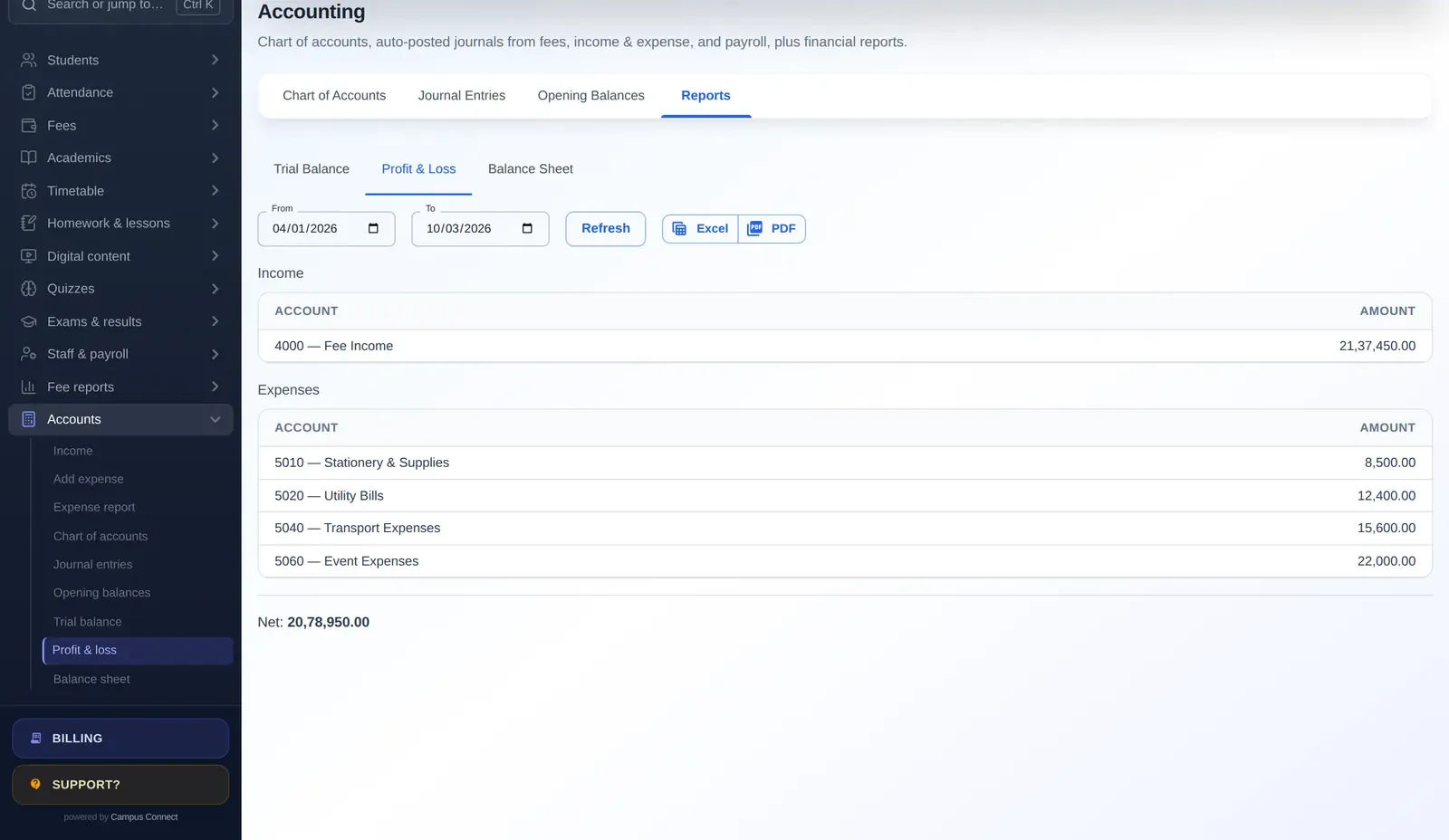
Profit and loss (income and expenditure). Income minus expenses for a period — a month, a term, a year. It shows whether the school ran a surplus or a deficit, and where money came from and went.
Balance sheet. What the school owns (assets) and owes (liabilities) on a particular date, and the resulting fund balance.
When these are available any time, for any date range, management can make decisions with current information rather than last year’s audited accounts.
Why connect fees to accounts?
In many schools, fees are collected in one system and the accountant enters monthly totals into separate accounting software. That creates:
- Double work — the same numbers entered twice.
- Delays — the books are only as current as the last time someone entered totals.
- Reconciliation headaches — differences between the fee system and the books take time to trace.
When every fee receipt automatically creates the right journal entry, the books are always up to date, and the daybook, fee reports and financial statements agree with each other.
Good practice for school accounts
- Separate cash and bank accounts for each real account.
- Reconcile bank accounts monthly with the bank statement.
- Record expenses promptly, with bills attached or referenced.
- Never delete transactions — reverse them with a reason.
- Review the P&L monthly with management.
- Restrict access so only authorised people can post or change entries.
- Export reports for your auditor in the format they need.
A monthly close in practice
A simple monthly close keeps the books healthy. In the first week of each month, the accountant: checks that every day’s fee collection in the daybook matches the bank deposits; enters any expenses still pending, with bills referenced; posts manual journals such as depreciation or transfers between bank accounts; reconciles each bank account with its statement; runs the trial balance to confirm it balances; and reviews the profit and loss for the month with the principal or management, comparing it with the same month last year. Any unusual figure — a spike in maintenance spending, a drop in transport income — gets a short explanation. By year-end, the auditor finds twelve tidy months instead of one large reconstruction.
More questions
Do we still need an accountant if fees post automatically? Yes. Automation removes re-entry, but an accountant’s judgement is still needed for adjustments, reconciliations, statutory matters and the year-end close.
Key takeaways
- Set up a clear chart of accounts and correct opening balances.
- Let fee receipts, expenses and payroll post automatically.
- Reverse, never delete, wrong entries.
- Review the trial balance and P&L monthly.
How CampusConnect helps
CampusConnect includes accounting alongside fees: a chart of accounts and opening balances; automatic journal entries from fees, income, expenses and payroll, plus manual journals; trial balance, profit and loss and balance sheet for any date range; income and expense entry with an expense report; and export to Excel or PDF. Fee collection, receipts and the finance daybook all feed the same ledger.
Book a free demo and we’ll show you your fee collections flowing into the books.